Blog
Free Music Visualizer Websites: Compare Watermarks, Captions and Media Handling
Find a site for turning your track and artwork into a YouTube visualizer video.
- Compare three free sites for making waveform videos from audio and an image, including watermarks, subtitles and how they handle your files.
- Sonoray is an option if you want no watermark; VEED is an option if you also need subtitles.
- Before deciding, try a short passage with the same track and image on each site.
First decide whether you need subtitles
Choose a dedicated waveform site if you only need a waveform; choose a text-editing site if you also need subtitles or lyrics. That decision narrows the list quickly.
This article is written by the team behind Sonoray. We compared three browser-based sites that let you try making a waveform video for free. The details are based on each site's official information as of September 2026.
| Site | Best for | Watermark on free exports | How files are handled |
|---|---|---|---|
| Sonoray | A video with an image, track and waveform | None; no sign-in required | Processed in your browser |
| seeaud.io | A simple music video using Line or Bars | Yes | Processed in your browser |
| VEED | A waveform with subtitles or other text | Yes (official help) | Files are uploaded for editing |
Free-plan terms can change. Check each site's current information before using it.
Are you sharing a track or asking people to read the words?
For a finished track with cover art and a waveform, Sonoray can make a watermark-free MP4.
If people need to read a podcast conversation or lyrics in time with the track, choose a site with subtitle editing, such as VEED. Sonoray does not have a subtitle tool.
Try a short passage with the same track and image
If you are still deciding, make a short video on each site using the same track, image and passage. Compare these four things:
- Whether there is a watermark
- Whether the artwork's focal point or track title is obscured
- Whether the waveform suits the track
- Whether the saved video's audio sounds right
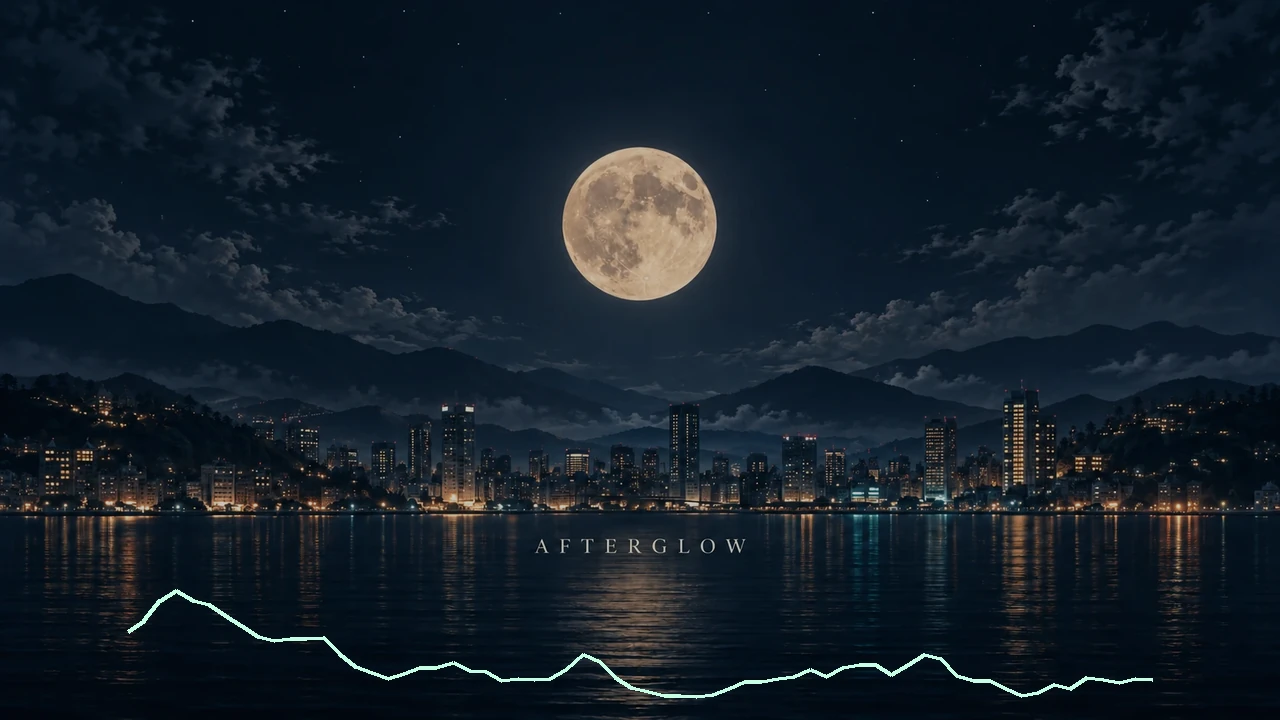
Below is an example made in Sonoray with Bars over the bottom of a night scene.

| Setting | Value |
|---|---|
| Shape | Bars |
| Width / height | 80% / 16% |
| Horizontal / vertical position | 50% / 90% |
| Response / smoothing | 1.00× / 80% |
| Elements / thickness / spacing | 64 / 4px / 4px |
| Color | Soft mint |
| Track / passage | Sample 03 / 3.20–6.20 s |
To try it in Sonoray:
- In the Editor, load the track and background image, then choose Bars
- Under Adjust, move the waveform away from the focal point
- Choose a short passage under Range, then save the MP4 from Export
See Create your first video for detailed instructions.
Make a free waveform video without a watermark
No sign-in needed. A sample track is included, so you can try it without your own files.